
Select the Reports | OT Sign-Up Lists | Weekly | All Shifts | With Time(s) Posted main menu option.
The system will then generate a report for the current week and the first OSG in the "drop-down" list for your company or department.
You can then select any OSG (within your company or department) or Week Starting Date (for any week that you have already generated an overtime schedule for) without having to return to the menu:
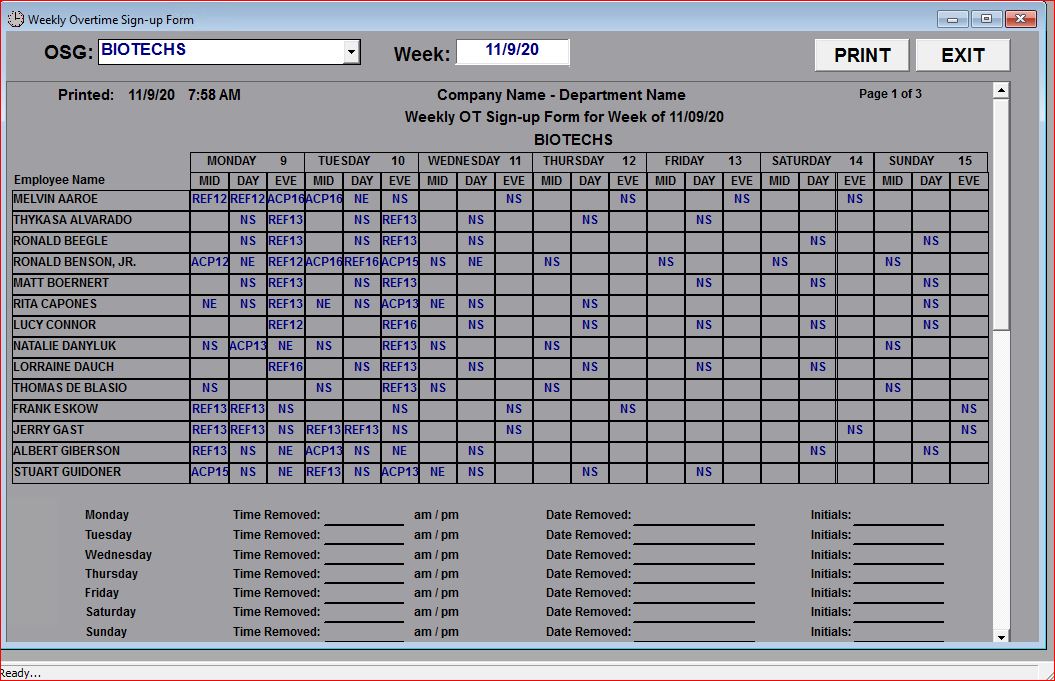
This report is a detailed Weekly Overtime Sign-up List for a Week (includes all Shifts), listing each employee in the OSG with all of their regular (or normal) shifts pre-printed on the report as well as any overtime assignments (or "not eligible") that have already been entered for that day.
TIP: Note that this report requires that the Overtime Schedule has already been created for the week that includes the selected date.